> ## Documentation Index
> Fetch the complete documentation index at: https://docs.gateway.connexease.com/llms.txt
> Use this file to discover all available pages before exploring further.
# Account
> View your WhatsApp Business account details and monitor health metrics.
## Overview
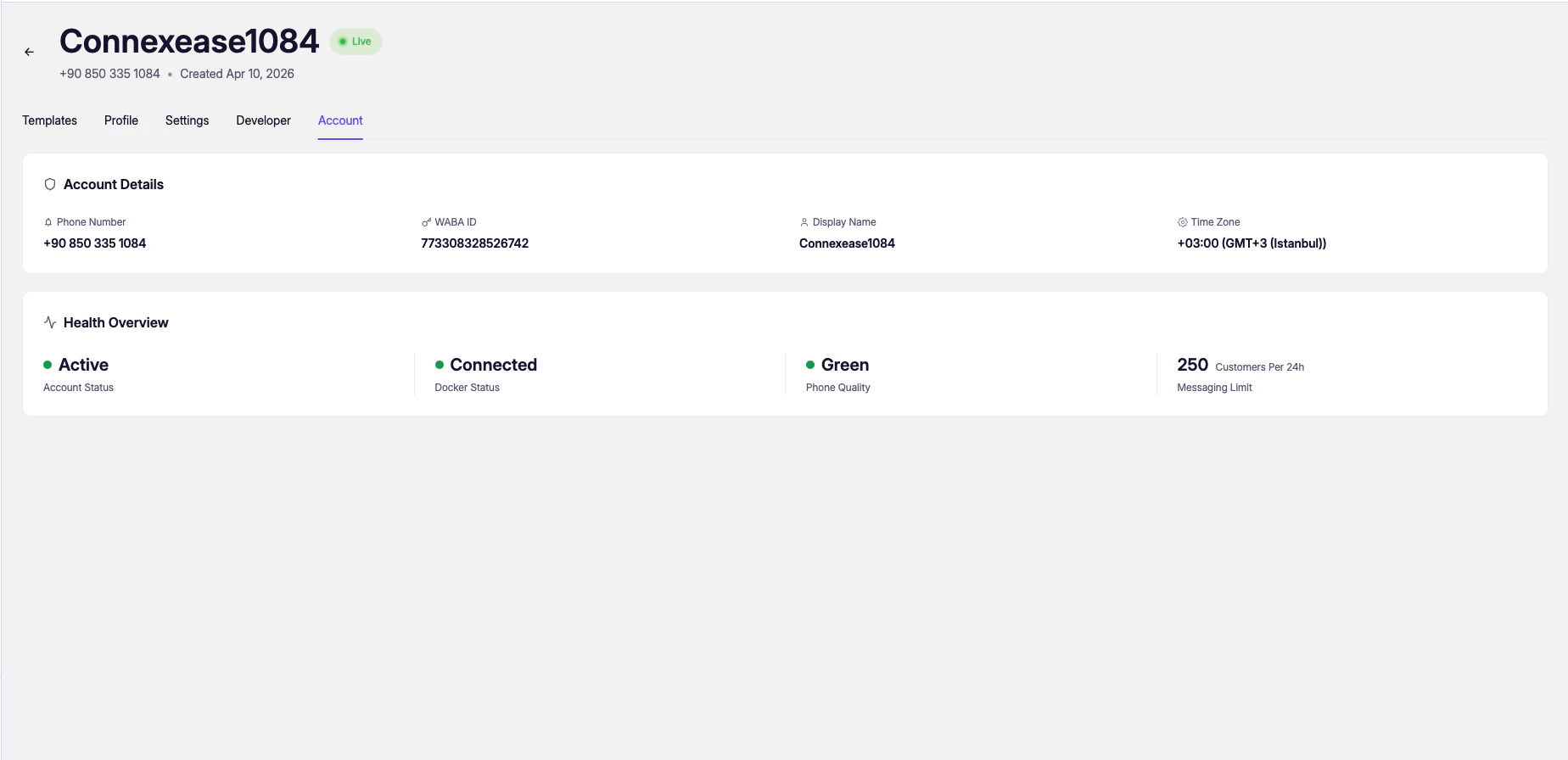
The **Account** tab shows the technical details of your connected WhatsApp Business account and provides a real-time health overview. Access it from the app's top navigation: **Account**.
 ***
## Account Details
| Field | Description |
| ---------------- | ------------------------------------------------------------------------------------- |
| **Phone Number** | The WhatsApp Business phone number linked to this app (e.g. `+90 850 335 1084`). |
| **WABA ID** | Your WhatsApp Business Account ID assigned by Meta. Required for some API operations. |
| **Display Name** | The business name shown to recipients in WhatsApp (e.g. `Connexease1084`). |
| **Time Zone** | The timezone associated with your Meta account (e.g. `+03:00 GMT+3 Istanbul`). |
***
## Health Overview
The Health Overview section reflects the live status of your WhatsApp integration.
| Metric | Values | Description |
| ------------------- | ----------------------------------- | ------------------------------------------------------------------------------------------- |
| **Account Status** | `Active` / `Restricted` / `Flagged` | Whether your WhatsApp Business account is in good standing with Meta. |
| **Docker Status** | `Connected` / `Disconnected` | Connectivity status between Gateway's infrastructure and Meta's API servers. |
| **Phone Quality** | `Green` / `Yellow` / `Red` | Meta's quality rating for your phone number based on user feedback and message patterns. |
| **Messaging Limit** | e.g. `250 Customers Per 24h` | The maximum number of unique users you can initiate conversations with in a 24-hour window. |
**Phone Quality** and **Messaging Limit** are set and updated by Meta based on your messaging behavior. Maintaining a **Green** quality rating and avoiding spam-like patterns will gradually increase your messaging limit (250 → 1,000 → 10,000 → 100,000+).
If **Account Status** shows `Restricted` or **Docker Status** shows `Disconnected`, your app cannot send messages. Check your Meta Business Manager account for any pending actions or policy violations.
***
## Account Details
| Field | Description |
| ---------------- | ------------------------------------------------------------------------------------- |
| **Phone Number** | The WhatsApp Business phone number linked to this app (e.g. `+90 850 335 1084`). |
| **WABA ID** | Your WhatsApp Business Account ID assigned by Meta. Required for some API operations. |
| **Display Name** | The business name shown to recipients in WhatsApp (e.g. `Connexease1084`). |
| **Time Zone** | The timezone associated with your Meta account (e.g. `+03:00 GMT+3 Istanbul`). |
***
## Health Overview
The Health Overview section reflects the live status of your WhatsApp integration.
| Metric | Values | Description |
| ------------------- | ----------------------------------- | ------------------------------------------------------------------------------------------- |
| **Account Status** | `Active` / `Restricted` / `Flagged` | Whether your WhatsApp Business account is in good standing with Meta. |
| **Docker Status** | `Connected` / `Disconnected` | Connectivity status between Gateway's infrastructure and Meta's API servers. |
| **Phone Quality** | `Green` / `Yellow` / `Red` | Meta's quality rating for your phone number based on user feedback and message patterns. |
| **Messaging Limit** | e.g. `250 Customers Per 24h` | The maximum number of unique users you can initiate conversations with in a 24-hour window. |
**Phone Quality** and **Messaging Limit** are set and updated by Meta based on your messaging behavior. Maintaining a **Green** quality rating and avoiding spam-like patterns will gradually increase your messaging limit (250 → 1,000 → 10,000 → 100,000+).
If **Account Status** shows `Restricted` or **Docker Status** shows `Disconnected`, your app cannot send messages. Check your Meta Business Manager account for any pending actions or policy violations.