> ## Documentation Index
> Fetch the complete documentation index at: https://docs.gateway.connexease.com/llms.txt
> Use this file to discover all available pages before exploring further.
# Connect Meta
> Link your Meta Business account to activate your Gateway app and start sending WhatsApp messages.
## Overview
A newly created app starts in **Draft** status. To activate it and begin sending messages, you must connect your **Meta Business** and **WhatsApp Business** accounts via the **Go Live With Meta** flow.
## Go Live With Meta
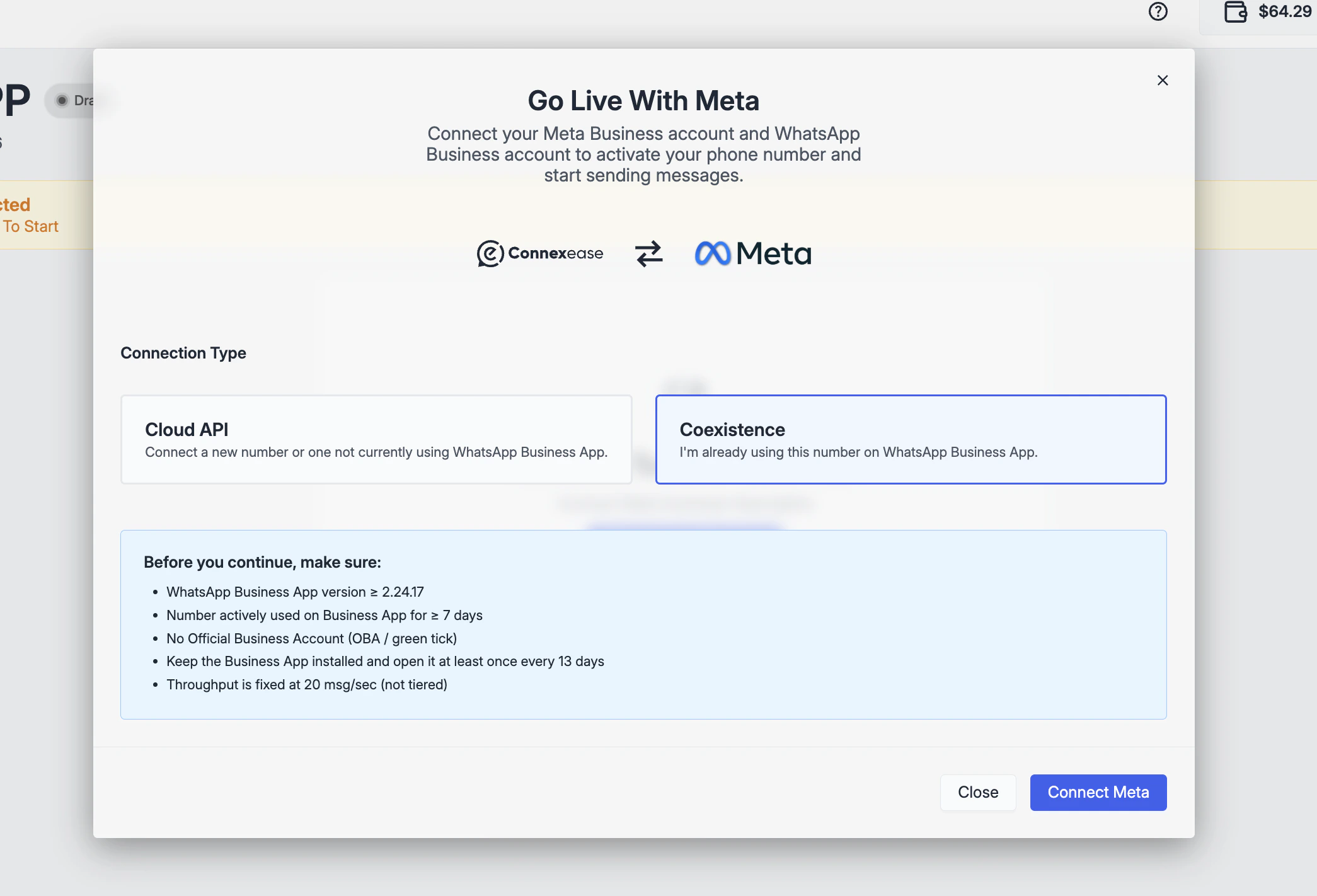
The dialog explains what will happen:
> Connect your Meta Business account and WhatsApp Business account to activate your phone number and start sending messages.
### Connection Type
When you open the **Go Live With Meta** dialog, you must choose how to connect your number:
 | Connection Type | When to use |
| --------------- | ---------------------------------------------------------------------------------------------------------------- |
| **Cloud API** | Connect a new number, or a number not currently registered on the WhatsApp Business App. |
| **Coexistence** | Your number is already active on the WhatsApp Business App and you want to keep using the app alongside Gateway. |
You must have an existing **Meta Business Manager** account and a **WhatsApp Business** phone number before completing this step. If you don't have one, create it at [business.facebook.com](https://business.facebook.com).
***
## Coexistence Mode
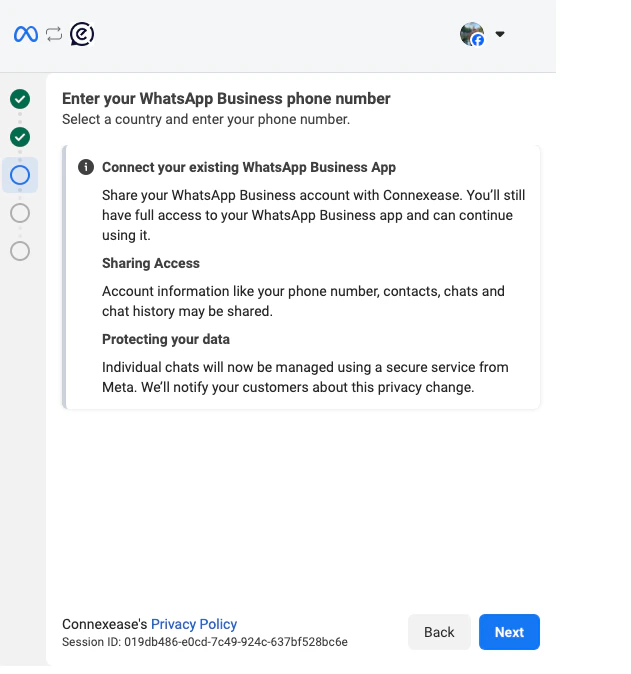
Coexistence lets you connect a phone number that is **already active on the WhatsApp Business App**
to Gateway's Cloud API — without unregistering it from the app or losing your chat history.
| Connection Type | When to use |
| --------------- | ---------------------------------------------------------------------------------------------------------------- |
| **Cloud API** | Connect a new number, or a number not currently registered on the WhatsApp Business App. |
| **Coexistence** | Your number is already active on the WhatsApp Business App and you want to keep using the app alongside Gateway. |
You must have an existing **Meta Business Manager** account and a **WhatsApp Business** phone number before completing this step. If you don't have one, create it at [business.facebook.com](https://business.facebook.com).
***
## Coexistence Mode
Coexistence lets you connect a phone number that is **already active on the WhatsApp Business App**
to Gateway's Cloud API — without unregistering it from the app or losing your chat history.
 ### How it works
Once connected, both platforms share the same number:
* Messages sent via **Gateway (Cloud API)** appear in your WhatsApp Business App.
* Messages sent via the **WhatsApp Business App** are mirrored into Gateway's conversation history.
* Up to **6 months** of existing chat history is synchronized on first connection.
### Requirements
Before enabling Coexistence, make sure your setup meets the following conditions:
| Requirement | Detail |
| ---------------- | --------------------------------------------------------------------------- |
| App version | WhatsApp Business App **≥ 2.24.17** |
| Active usage | Number must have been actively used on the Business App for **≥ 7 days** |
| Account type | No Official Business Account (OBA / green tick) |
| App availability | Keep the Business App installed and open it at least **once every 13 days** |
| Throughput | Fixed at **20 msg/sec** (not tiered) |
> ⚠️ **Important:** Keep your WhatsApp Business App open during the initial chat
> synchronization. New messages will only appear in Gateway after sync completes.
### Limitations
* **Throughput is fixed** at 20 messages/second and cannot be increased to higher tiers.
* Some WhatsApp Business App features are no longer supported after enabling Coexistence:
disappearing messages, view-once media, and live location sharing.
* **Official Business Account (OBA / green tick)** numbers are not eligible.
* To disconnect, go to **Settings → Account → Business Platform** in the WhatsApp
Business App and tap **Disconnect Account**. This cannot be done from Gateway.
* Messages sent via the **WhatsApp Business App remain free**; messages sent via
Gateway follow Meta's Cloud API pricing.
## After Connection
Once the Meta flow is completed successfully:
* Your app status changes from **Draft** → **🟢 Live**
* Your WhatsApp Business phone number appears in the app header
* The **WABA ID** is populated in the **Account** tab
* You can immediately start using the **Templates**, **Developer**, and **Profile** tabs
> **Coexistence users:** Your app will show a special indicator next to the phone number
> confirming it is connected via the WhatsApp Business App.
> Chat sync may take a few minutes to complete on first connection.
The connection process is handled entirely by Meta's embedded sign-up flow. Gateway only stores the access token and WABA ID returned by Meta — your Meta credentials are never shared with or stored by Gateway.
### How it works
Once connected, both platforms share the same number:
* Messages sent via **Gateway (Cloud API)** appear in your WhatsApp Business App.
* Messages sent via the **WhatsApp Business App** are mirrored into Gateway's conversation history.
* Up to **6 months** of existing chat history is synchronized on first connection.
### Requirements
Before enabling Coexistence, make sure your setup meets the following conditions:
| Requirement | Detail |
| ---------------- | --------------------------------------------------------------------------- |
| App version | WhatsApp Business App **≥ 2.24.17** |
| Active usage | Number must have been actively used on the Business App for **≥ 7 days** |
| Account type | No Official Business Account (OBA / green tick) |
| App availability | Keep the Business App installed and open it at least **once every 13 days** |
| Throughput | Fixed at **20 msg/sec** (not tiered) |
> ⚠️ **Important:** Keep your WhatsApp Business App open during the initial chat
> synchronization. New messages will only appear in Gateway after sync completes.
### Limitations
* **Throughput is fixed** at 20 messages/second and cannot be increased to higher tiers.
* Some WhatsApp Business App features are no longer supported after enabling Coexistence:
disappearing messages, view-once media, and live location sharing.
* **Official Business Account (OBA / green tick)** numbers are not eligible.
* To disconnect, go to **Settings → Account → Business Platform** in the WhatsApp
Business App and tap **Disconnect Account**. This cannot be done from Gateway.
* Messages sent via the **WhatsApp Business App remain free**; messages sent via
Gateway follow Meta's Cloud API pricing.
## After Connection
Once the Meta flow is completed successfully:
* Your app status changes from **Draft** → **🟢 Live**
* Your WhatsApp Business phone number appears in the app header
* The **WABA ID** is populated in the **Account** tab
* You can immediately start using the **Templates**, **Developer**, and **Profile** tabs
> **Coexistence users:** Your app will show a special indicator next to the phone number
> confirming it is connected via the WhatsApp Business App.
> Chat sync may take a few minutes to complete on first connection.
The connection process is handled entirely by Meta's embedded sign-up flow. Gateway only stores the access token and WABA ID returned by Meta — your Meta credentials are never shared with or stored by Gateway.