
Account Tab Overview
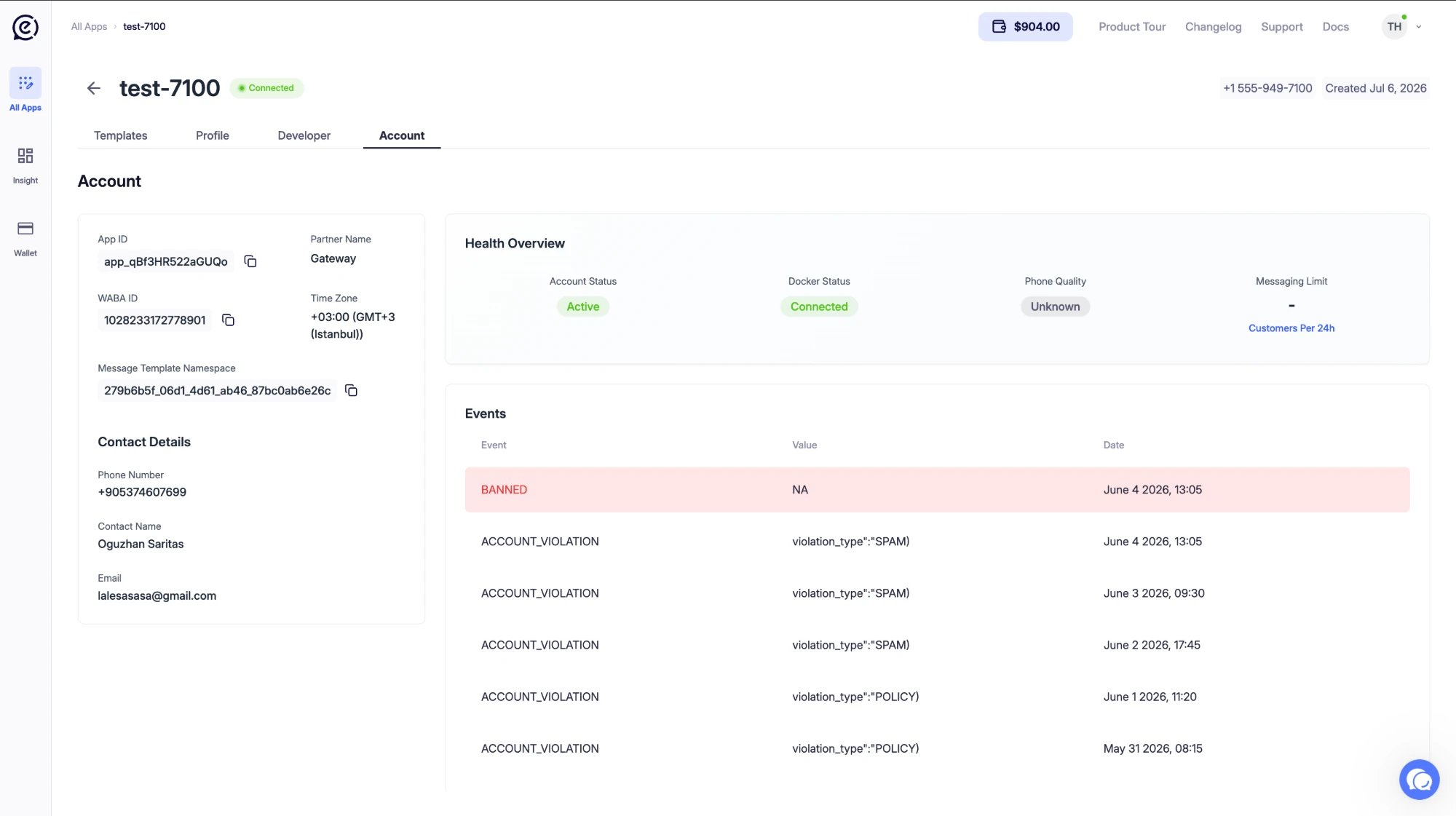
Click the Account tab on your application’s detail page. This tab consists of three main sections:- App Info — App ID, WABA ID, contact details
- Health Overview — Account and connection health status
- Events — Event history for the account
App Info
The left side of the page displays the basic identifying information for your application.Contact Details
The contact information entered when the application was created is displayed in this section.Health Overview
This section shows the real-time health status of your application.If Phone Quality drops, WhatsApp may restrict your messaging limit. To avoid spam complaints, only send relevant and expected messages.
Events
This section lists the history of events that occurred on your account. Each row contains the following information:Event Types
If you see a red BANNED row, your account has been suspended. In this case, message sending stops. Contact the support team.