Documentation Index
Fetch the complete documentation index at: https://docs.gateway.connexease.com/llms.txt
Use this file to discover all available pages before exploring further.
Overview
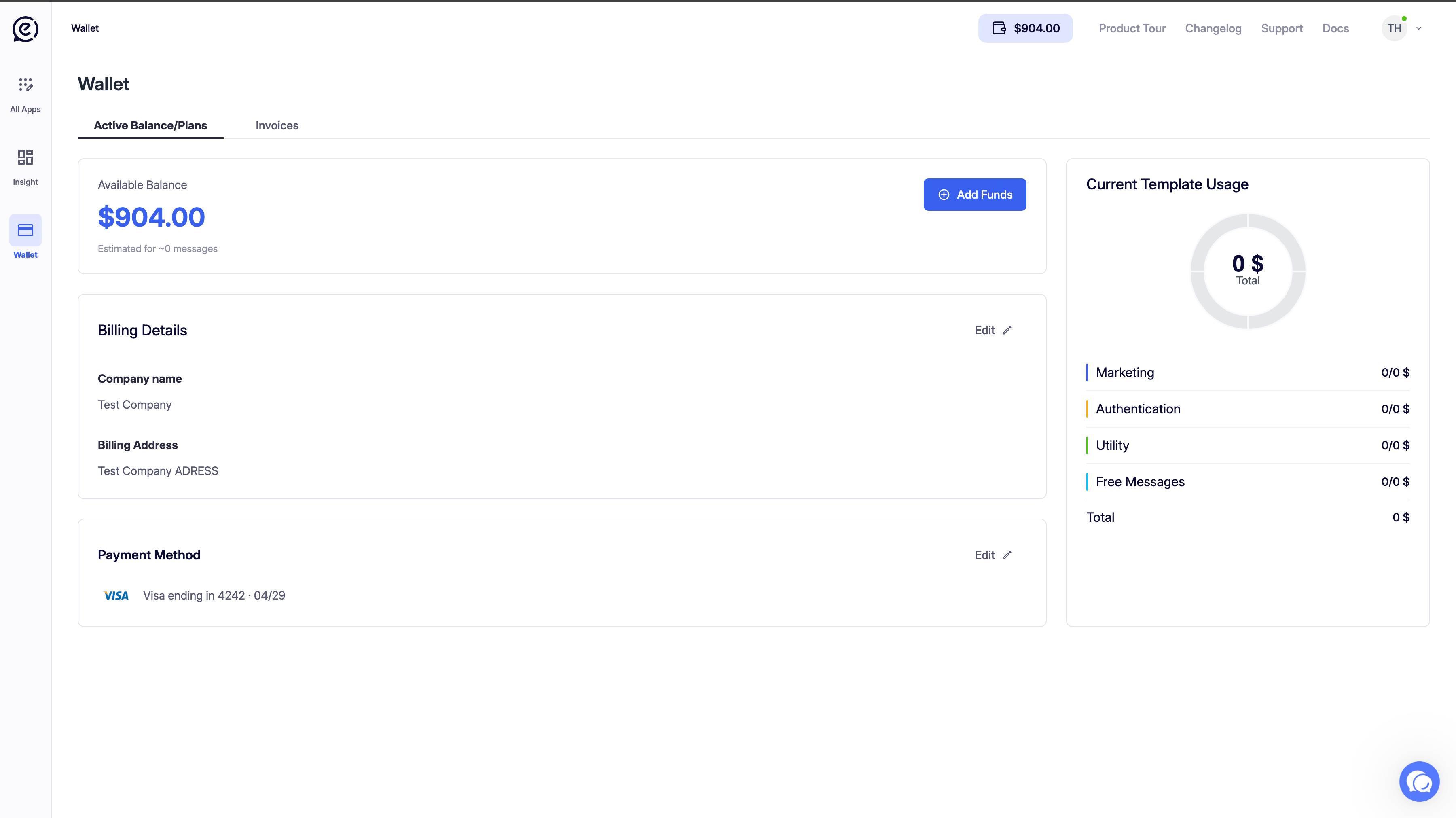
The Billing page gives you full control over your account balance, payment method, and invoice history. Access it from the left sidebar: Billing.
Wallet
The Wallet section shows your current credit balance and an estimated message count based on your current spend rate.
| Element | Description |
|---|
| Balance | Your available Gateway credit (e.g. $64.41). This is deducted as messages are sent. |
| Estimated messages | An approximate number of messages your current balance can cover, based on your average cost per message. |
| Regional pricing note | A reminder that Meta’s per-message pricing varies by country. Click Here for the pricing documentation. |
| Top up button | Opens the Add funds dialog to reload your wallet. |
Adding Funds
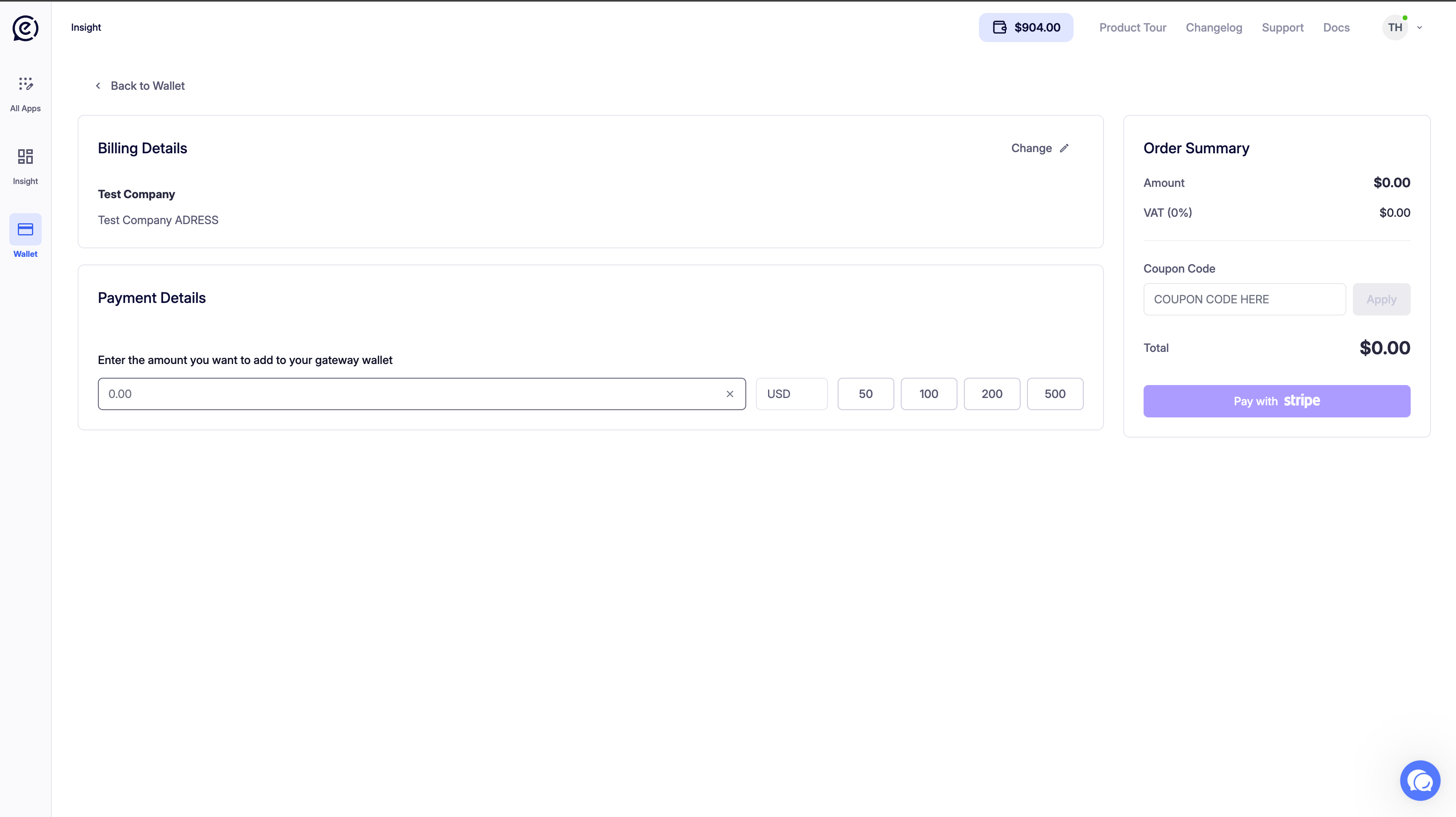
Click Top up to open the Add funds to wallet dialog.
Quick-select amounts: $10.00 · $25.00 · $50.00 · $100.00 · $250.00 · $500.00
Or enter a custom amount in the input field.
A real-time summary shows:
| Field | Description |
|---|
| Amount | The amount you are adding. |
| New balance | Your projected balance after the top-up. |
Click Add funds to charge your saved payment method and credit your wallet immediately.
Funds are deducted in real time as messages are sent. There is no automatic top-up — you must manually reload your wallet when your balance is low.
Current Template Usage
The donut chart on the right shows a breakdown of your template spending by category for the current period.
| Category | Color | Description |
|---|
| Marketing | 🔵 Blue | Promotional message costs |
| Authentication | 🟢 Green | OTP and verification message costs |
| Utility | 🟠 Orange | Transactional message costs |
| Total | — | Combined spend across all categories |
The numbers shown follow the format messages sent / cost in $.
Payment Method
The Payment Method section shows your currently saved card.
| Element | Description |
|---|
| Payment Method | Card type and last 4 digits (e.g. Mastercard ending in 1018). |
| Expiry | Card expiry date (e.g. 06/29). |
| Change Payment Method | Opens the card update dialog. |
Adding or Changing a Card
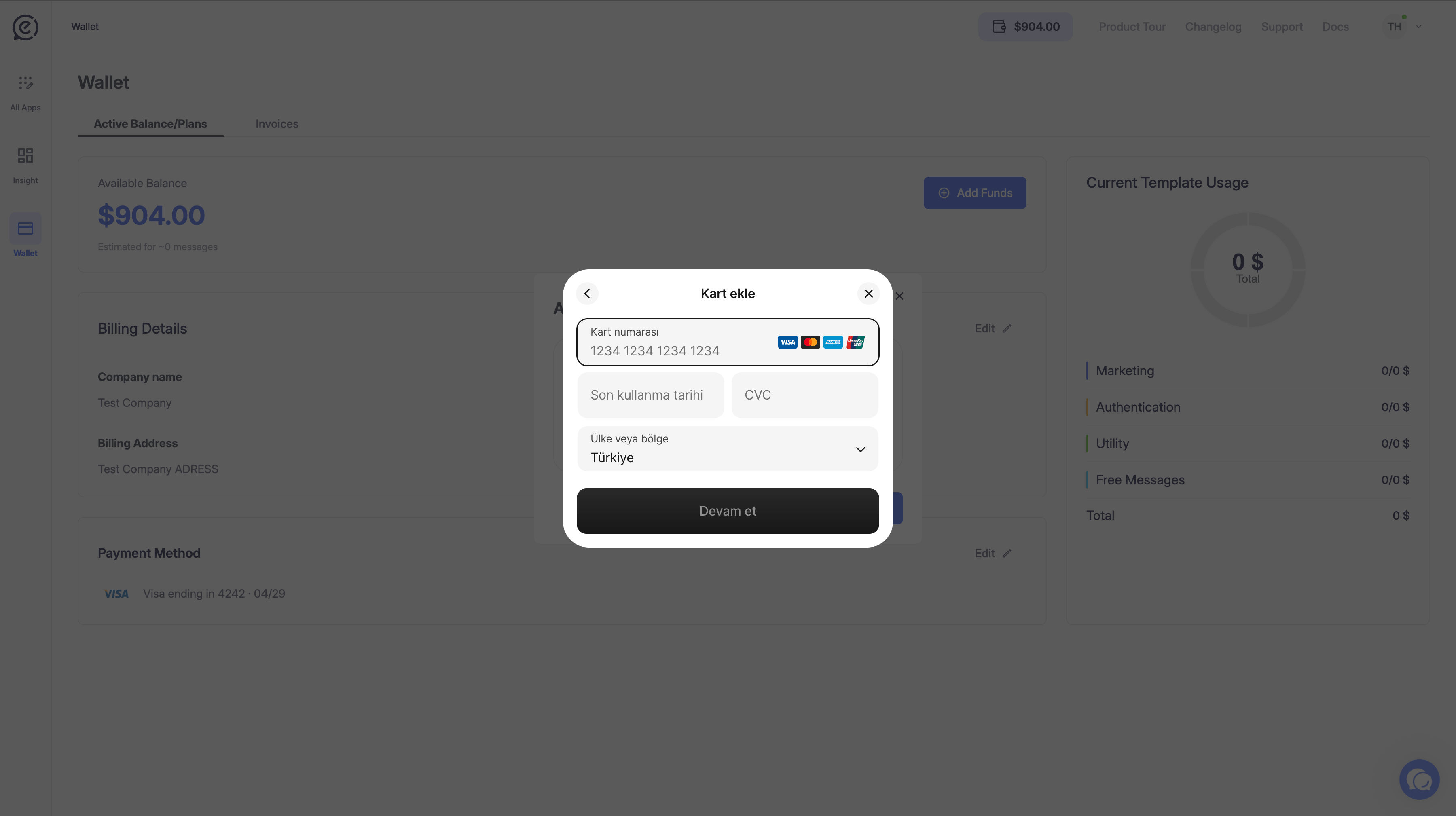
Click Change Payment Method (or Edit from the Billing Details section) to open the Add or change card dialog.
| Field | Description |
|---|
| Card number | Your 16-digit card number. Supports Mastercard, Visa, Discover, and Amex. |
| Expiration date | Card expiry in MM/YY format. |
| Security code | 3 or 4 digit CVC/CVV. |
| Country | Billing country for the card. |
Click Save card to update your payment method. Card data is processed securely via Stripe.
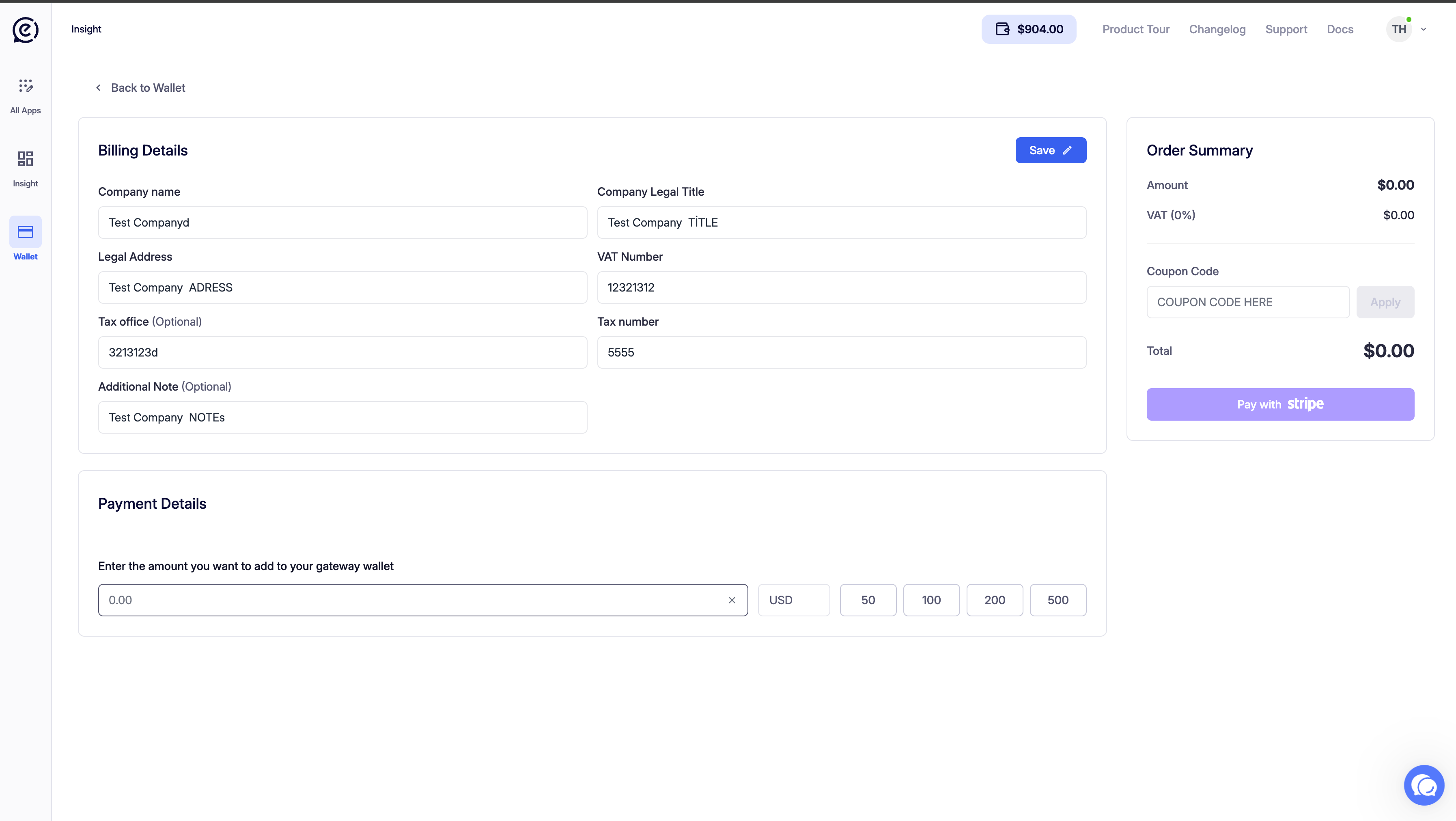
Billing Details
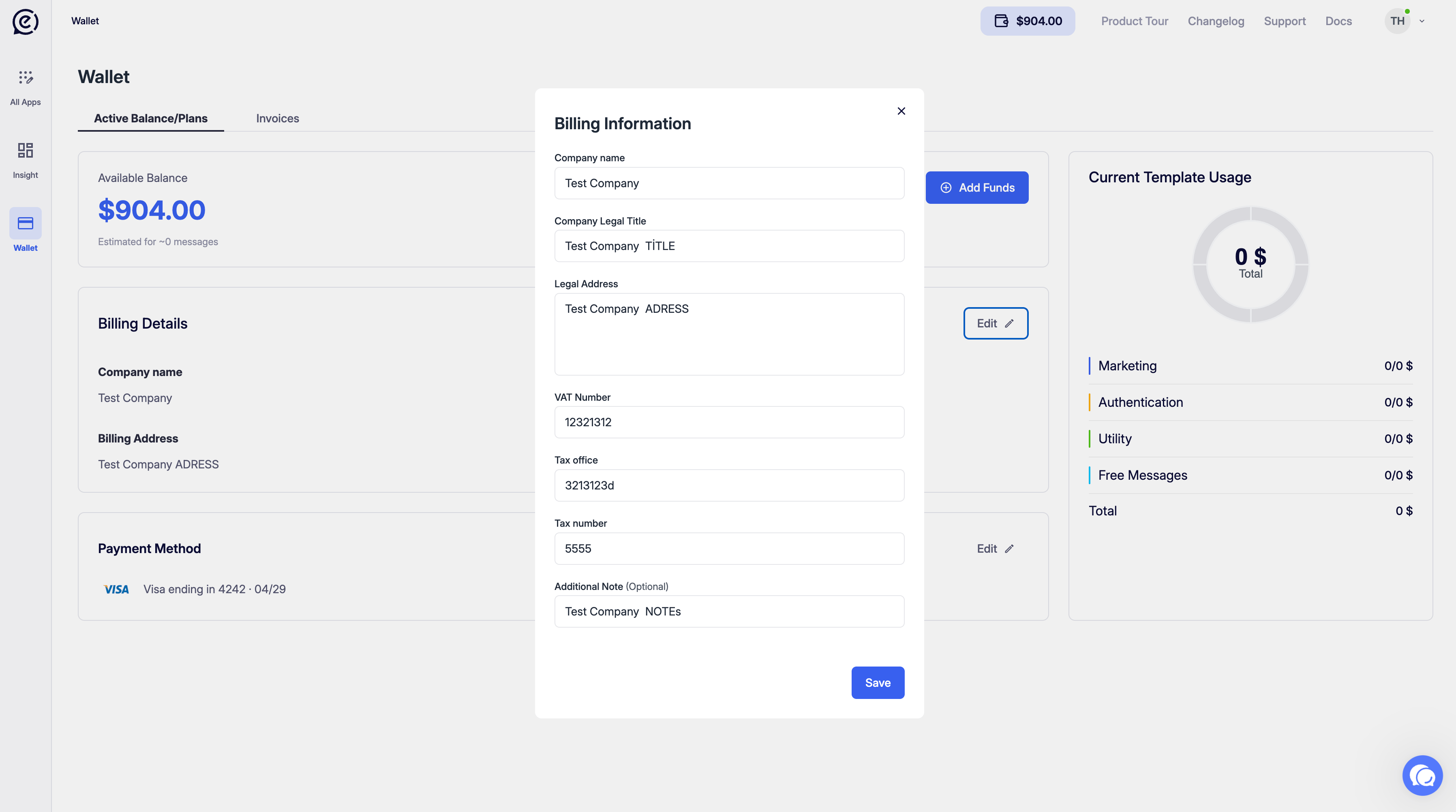
The Billing Details card shows your invoicing information.
| Field | Description |
|---|
| Company name | Your registered company name (e.g. Tuşla Teknoloji). |
| Company legal title | Your legal entity name (e.g. Connexease). |
| Billing Period | The current billing cycle. |
Click Edit to update your billing information.
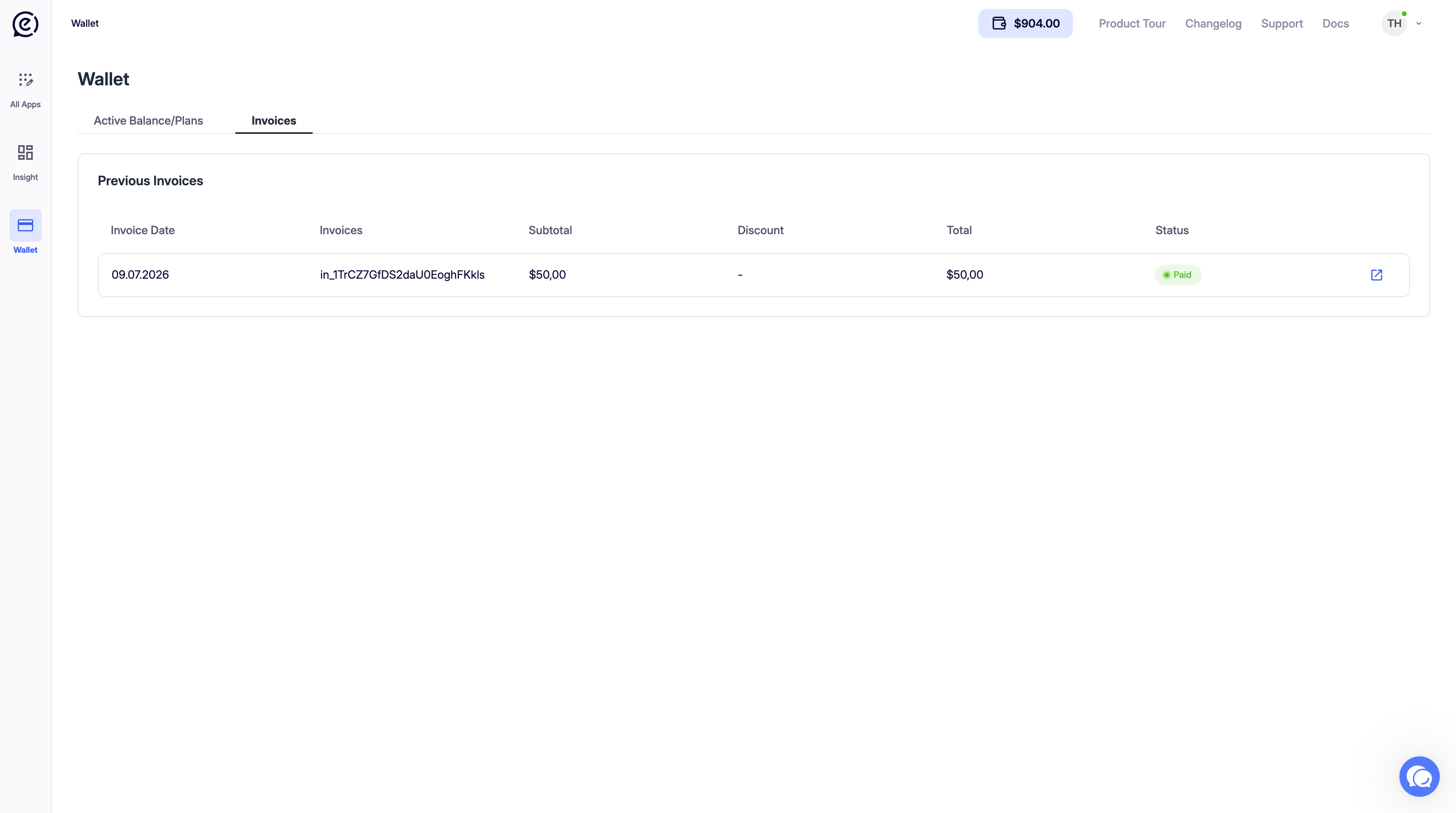
Previous Invoices
The Previous Invoices table lists all past invoices on your account.
| Column | Description |
|---|
| Invoice Date | Date the invoice was generated. |
| Invoices | Invoice ID (e.g. in_1TM7ABFNDLVrtKfoYwr9IJ7H). |
| Total | Total amount billed on that invoice. |
| Status | Paid (green) or Draft (grey). |
Click the external link icon on the right of any row to open the full invoice in a new tab.
Download your invoices regularly for accounting purposes. Paid invoices are available as PDFs via the external link.