The Errors tab on the Insights page shows the errors your messages ran into during the selected period. The number on the tab shows the total number of errors in the period. The channel, All Apps, and Date filters at the top of the page apply to this tab. See Page controls. Every error belongs to one of three stages, as described in Where messages fail:

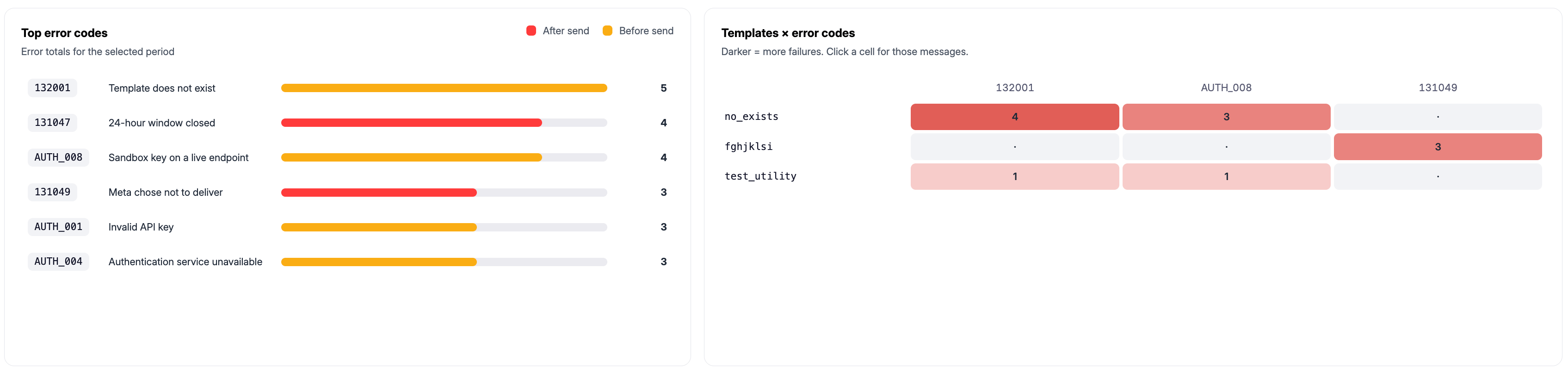
Top error codes

Screenshot 2026 10 31 At 00 39 11
Shows the error codes with the most occurrences in the selected period. Each row shows the code, a short name, a bar for its relative volume, and its count. The bar color shows when the error happened:

Templates × error codes

A grid that shows which templates are affected by which error codes. Each row is a template and each column is an error code. The cell shows the number of failed messages, and darker cells mean more failures. Click a cell to see the messages behind it.

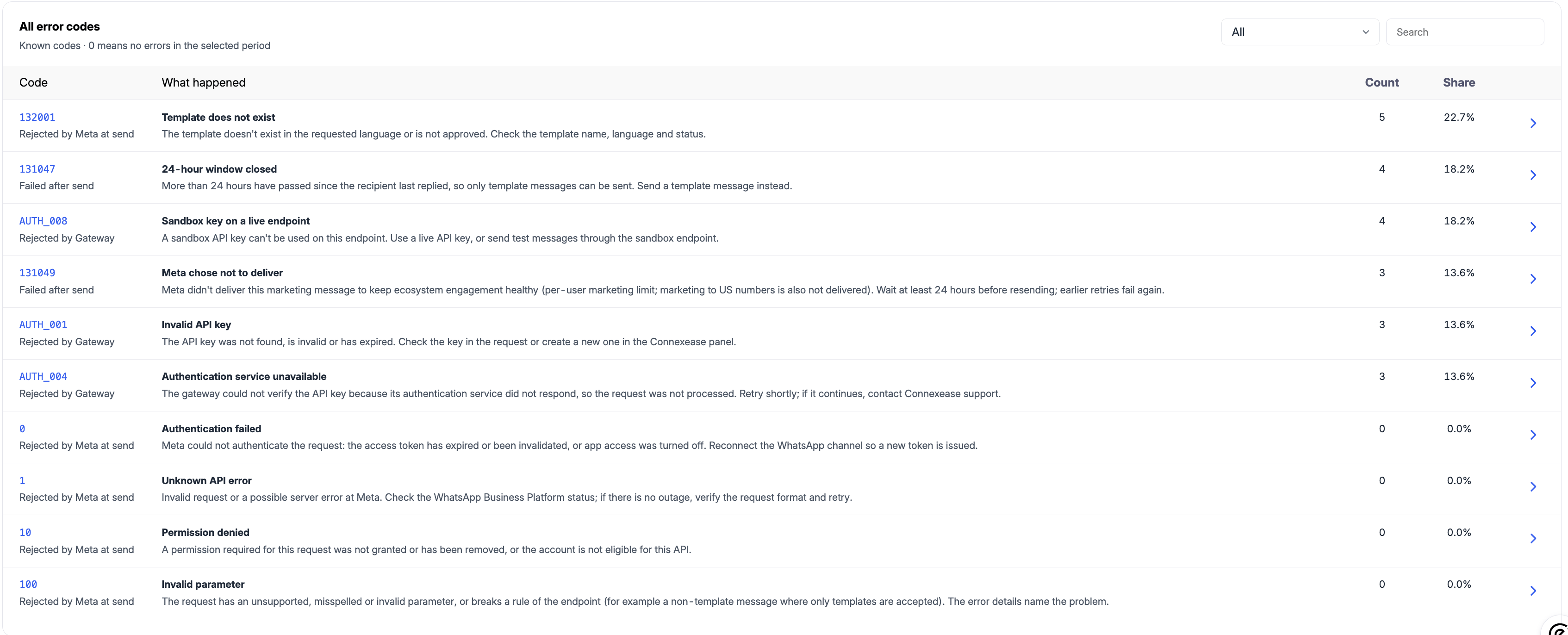
All error codes

Screenshot 2026 10 31 At 00 39 41
Lists all known error codes, including those that did not occur. A count of 0 means the error did not occur in the selected period. Use the dropdown in the top right corner to filter the list, and the Search box to find a code or keyword. Click the arrow at the end of a row to open the details of that error code.